Sign-in options
All Teamplify workspaces support sign-in with email. Just enter your email and get a one-time sign-in code in your inbox. Easy – no passwords to manage, no passwords to forget and recover.
Single Sign-On (SSO)
Teamplify integrates with multiple Single Sign-On providers. Click a provider's name to learn how to connect it:
All supported sign-in options, including email and any SSO providers, can be combined with Self-registration, enabling your teammates to join your workspace automatically.
Self-registration
You can allow your teammates to join your Teamplify workspace automatically using their work email—no invitation needed. When they join, they’ll be assigned the Organization Member role.
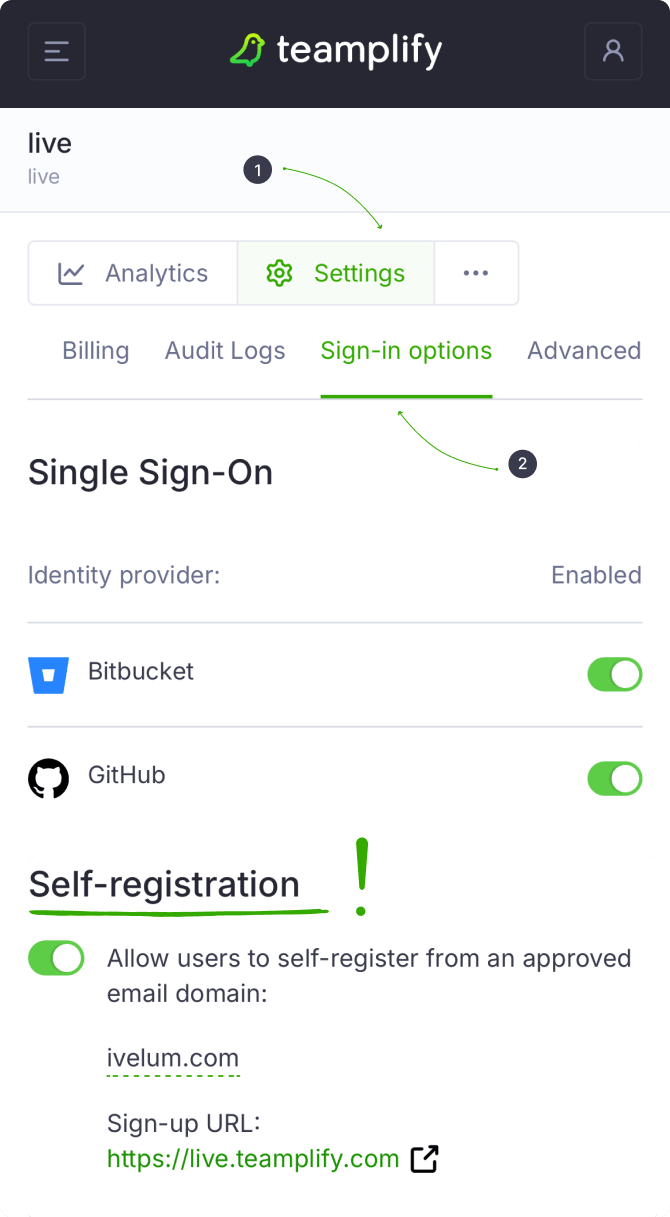
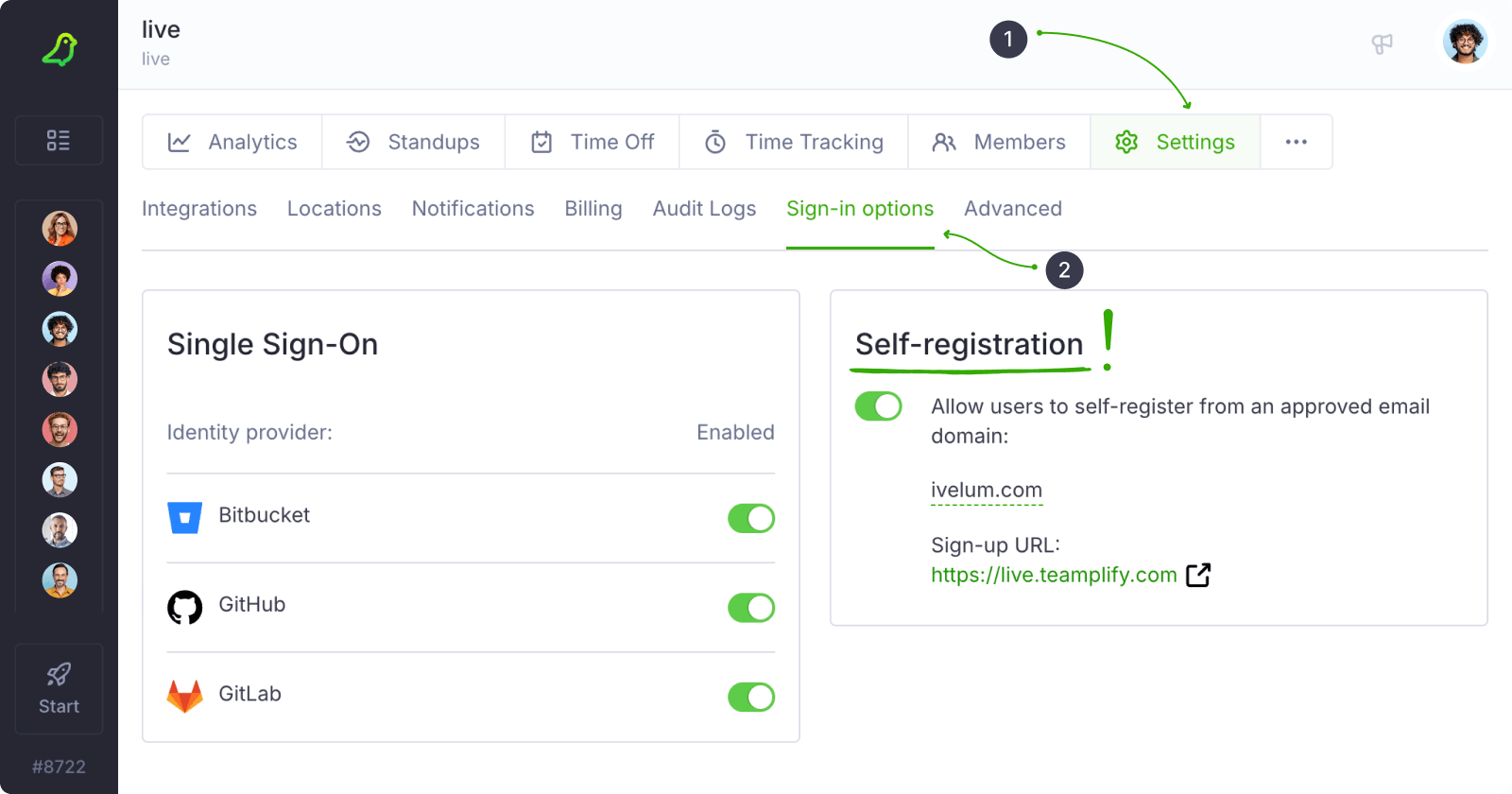
To enable this feature, go to your workspace Settings and select the Sign-in options tab. In the Self-registration section, check the box to enable it and enter your work email domain:
Self-registration works with all sign-in options described above, including email and SSO providers.
