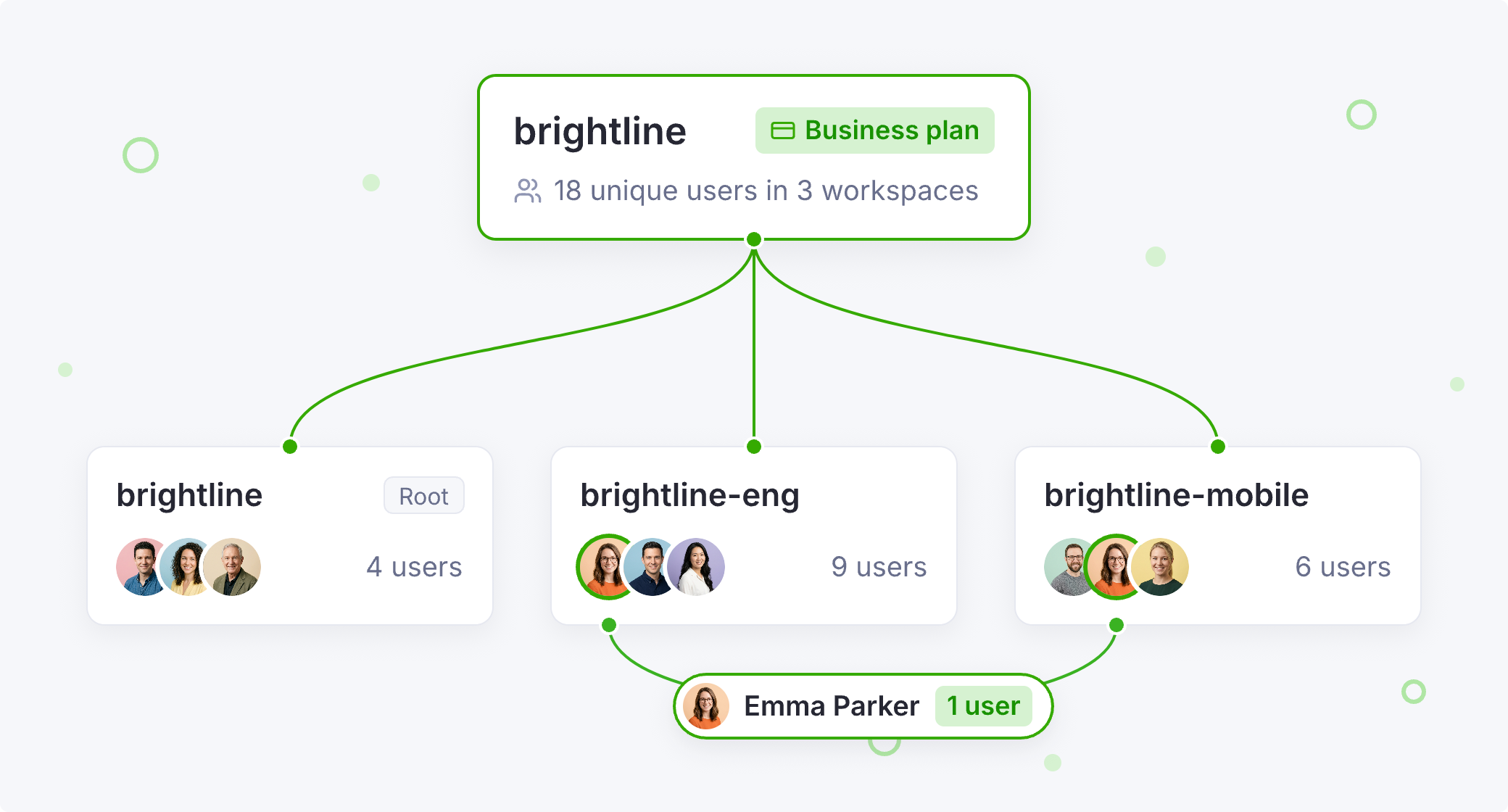
Multiple workspaces in one subscription
Many organizations run several Teamplify workspaces, for example one per department or client. Until now, each workspace needed its own subscription, and a person in two workspaces was billed twice.
Today, one workspace on the Business plan can cover any number of other workspaces with its subscription. You're billed for each unique user only once across all these workspaces.
Add workspaces to your subscription
Click on the organization name in the main menu, then Settings > Billing. In the Workspaces in your subscription section, click Add workspace. Connect a workspace where you're an administrator, or create a new one:
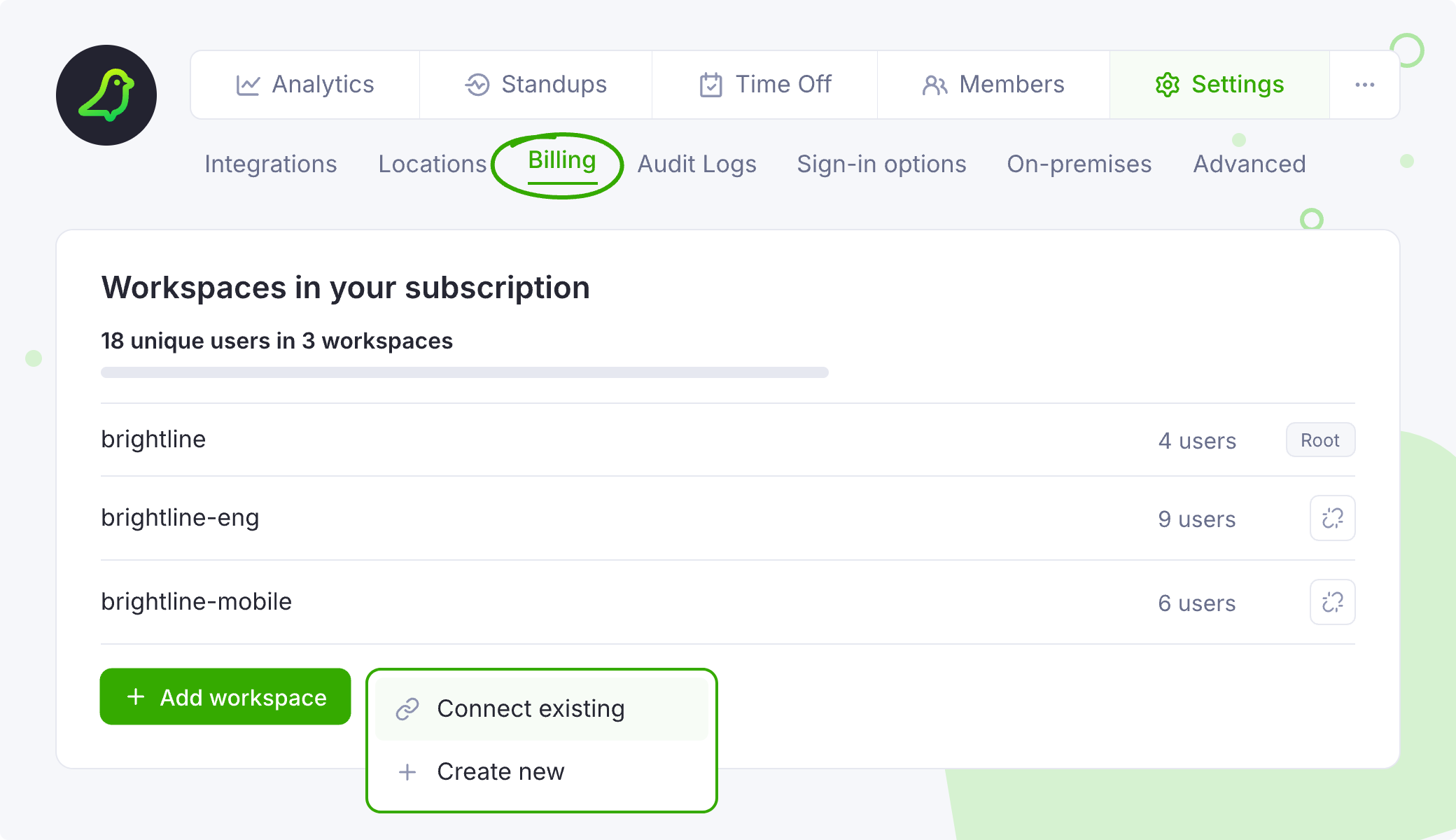
If a connected workspace had its own subscription, its unused time moves to your workspace as Teamplify Credits.
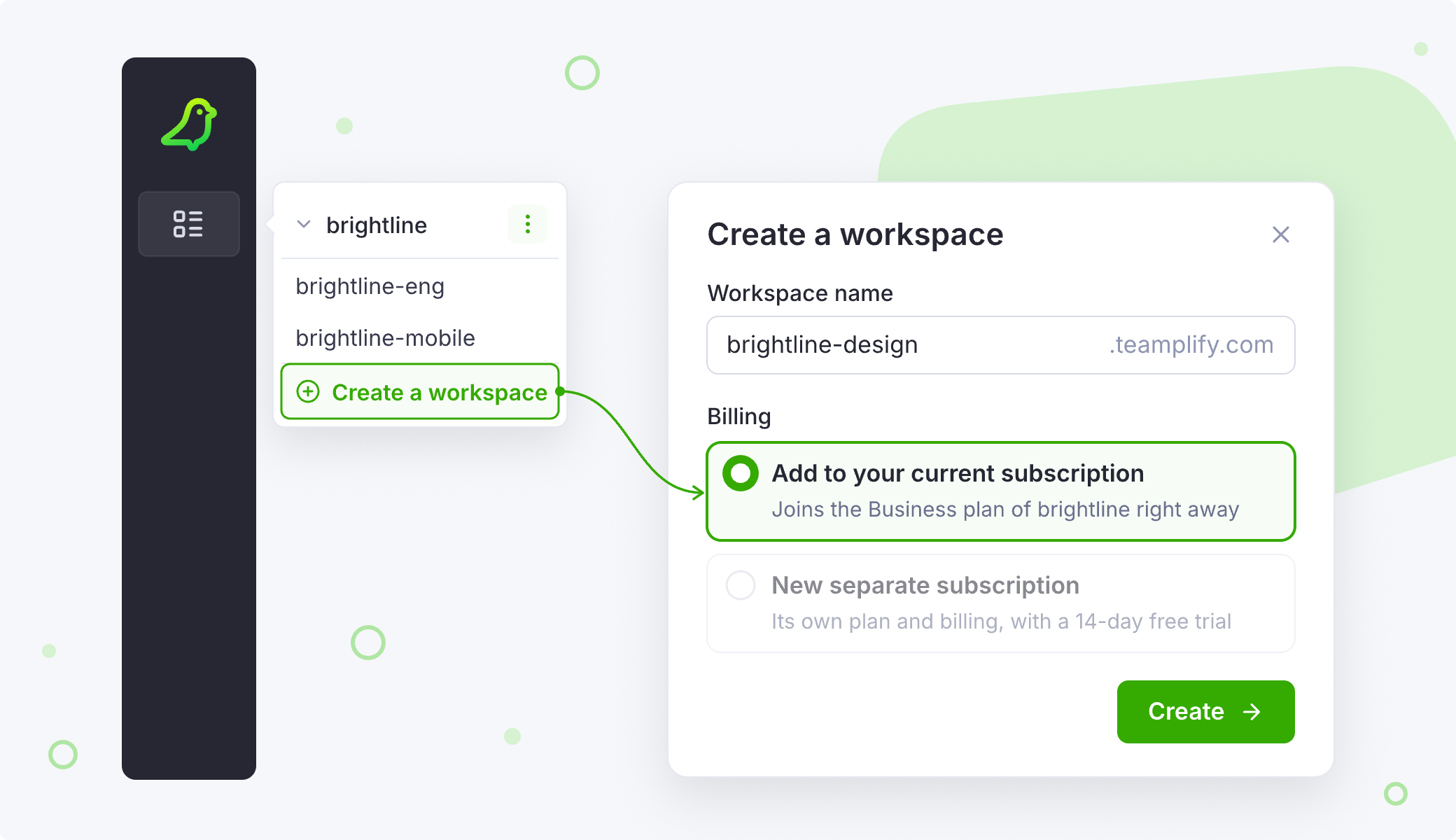
Choose billing for a new workspace
When you create a workspace from the main menu, you can now choose its billing. Choose Add to your current subscription to cover it with your current workspace's Business plan. The new workspace gets Business right away. Choose New separate subscription to create it as before, with its own plan and a 14-day free trial:
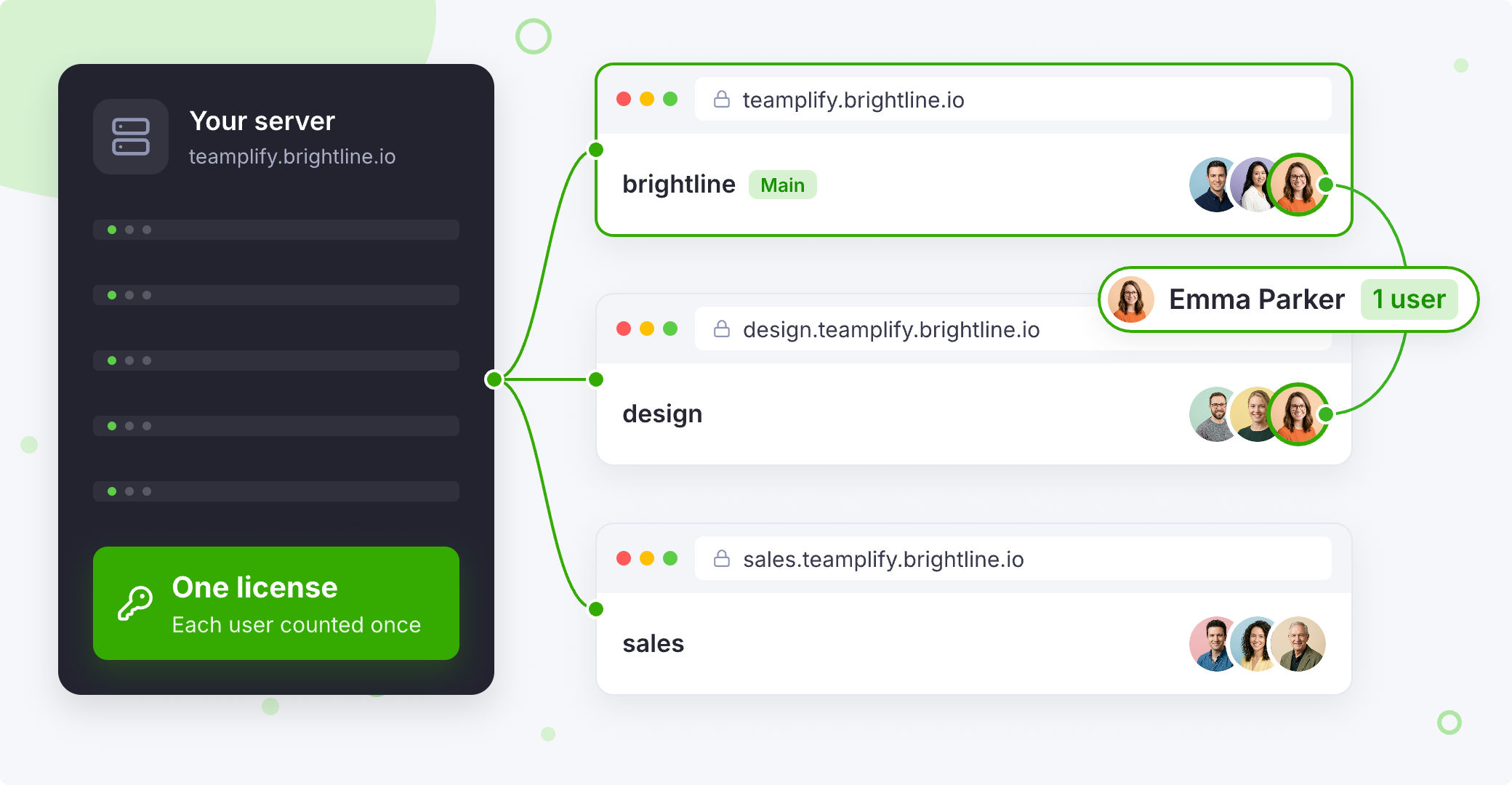
Multiple workspaces on one on-premises server
An on-premises installation can
now host multiple workspaces. Each workspace opens at its own address,
such as design.teamplify.example.com. All of them are
covered by the installation's license, and a user in several workspaces
is counted once.