Time off integration with Google and Microsoft calendars
With just a few clicks, you can now sync time off from Teamplify to your Google or Microsoft calendar. Vacations, sick leave, public holidays, and other types of leave are automatically added to your calendar, making your availability visible to colleagues when they schedule meetings with you. Here's how to set it up:
1. Enable time-off sync on the integration page
In your Teamplify workspace, click on the organization name in the main menu, then Settings > Integrations. Select your Google Workspace or Microsoft integration, and check the Sync time off to user calendars switch:
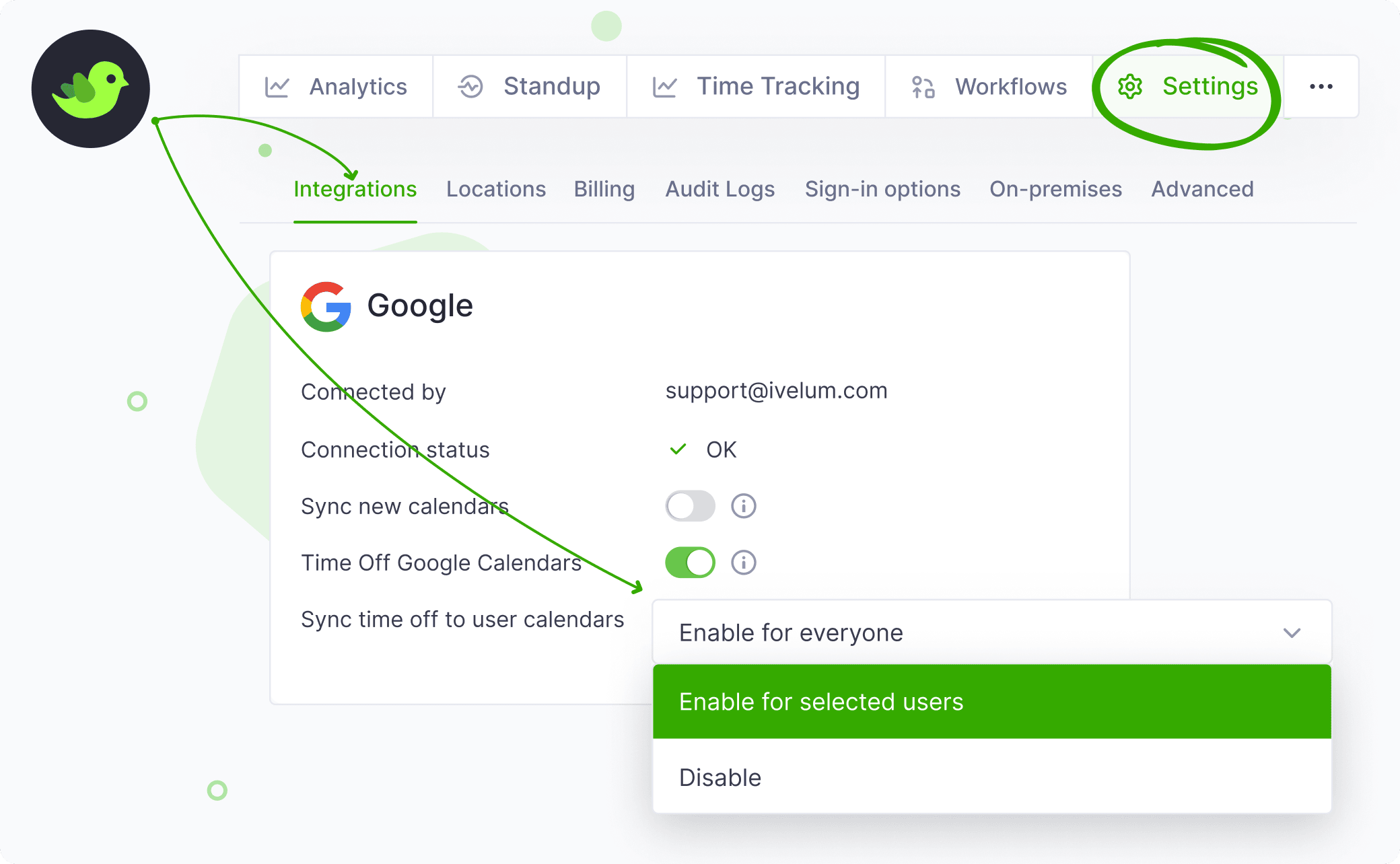
You can enable it for all users or only for selected users. If you choose the latter, you'll need to enable time-off sync for each user individually when linking their account, as described in the next step below.
2. Make sure user accounts are linked
Like most Teamplify features, this one relies on linking Teamplify user profiles with their Google or Microsoft accounts. You can connect these accounts directly from the integration page by opening the Accounts tab on the right:
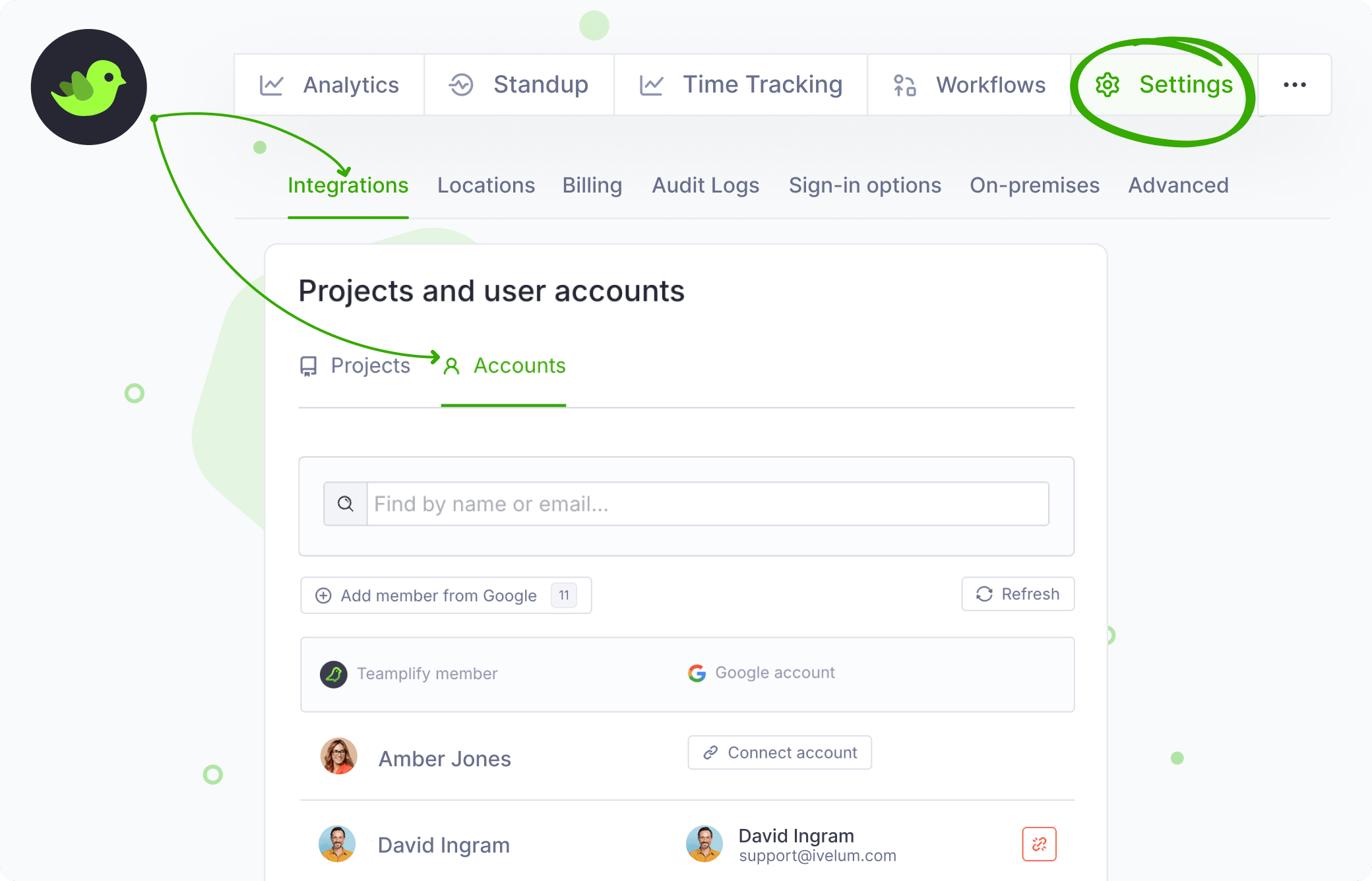
Alternatively, users can configure it themselves in their Teamplify profiles.
